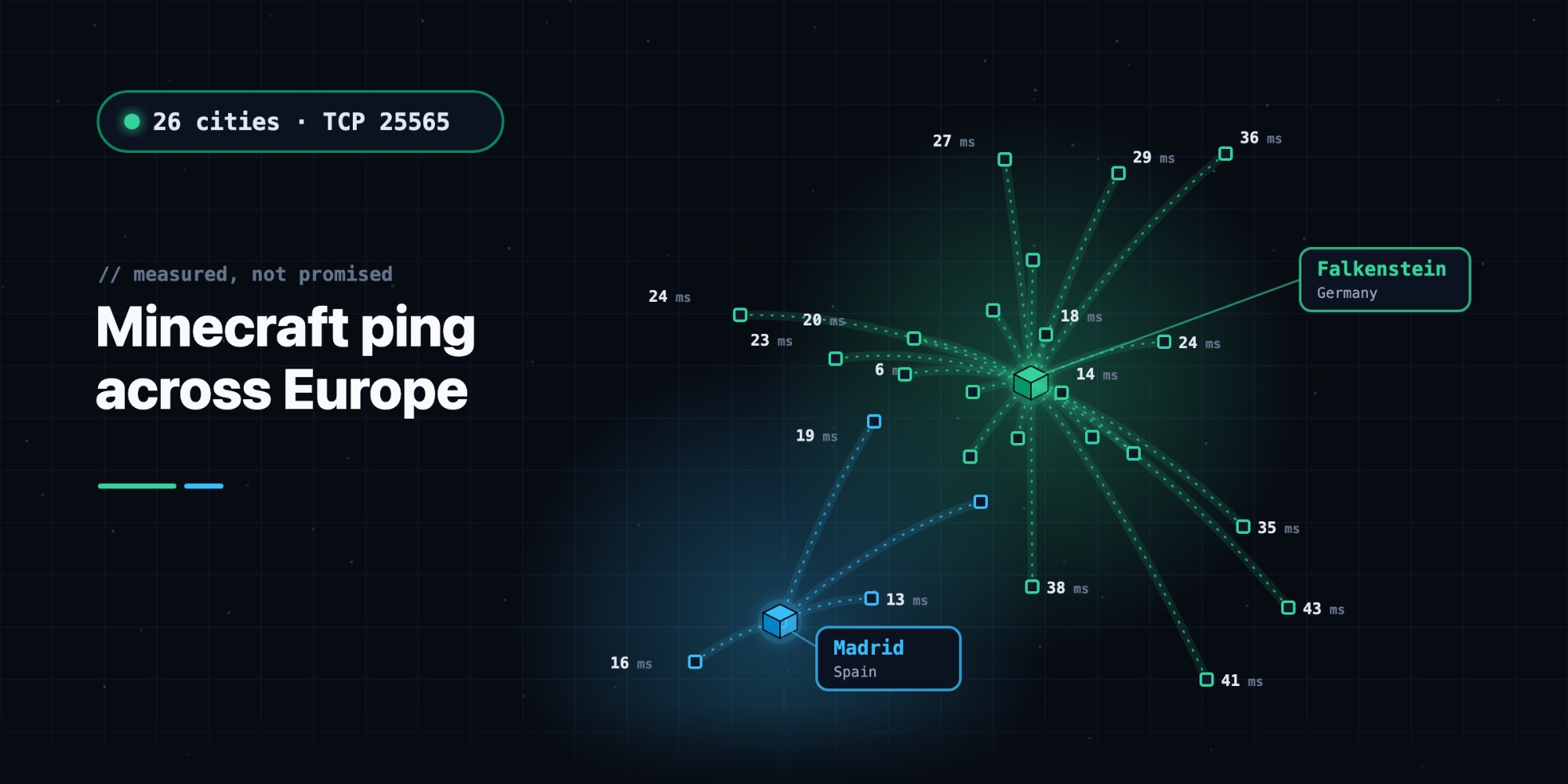
Minecraft server ping across Europe: we measured Falkenstein and Madrid from 26 cities
Every hosting page promises "low ping". We wanted real numbers, so we measured. We tested the connection time to our two locations, Falkenstein in Germany and Madrid in Spain, from 26 cities across Europe. We used port 25565, the port your Minecraft client actually connects to, and we included real home internet connections, not only data centers.
The short version:
- 17 of the 26 cities reach Falkenstein in under 30 ms.
- Spain and Portugal reach Madrid in under 20 ms.
- Every city we tested has a connection under 45 ms to at least one of the two locations.
The numbers
Lower is better. Each value is the typical connection time from that city, based on 3 to 4 independent test points and 16 attempts from each.
| City | Falkenstein, Germany | Madrid, Spain |
|---|---|---|
| Frankfurt | 6 ms | 25 ms |
| Prague | 14 ms | 46 ms |
| Vienna | 16 ms | 40 ms |
| Zurich | 16 ms | 32 ms |
| Berlin | 18 ms | 37 ms |
| Budapest | 19 ms | 38 ms |
| Copenhagen | 19 ms | 41 ms |
| Hamburg | 19 ms | 41 ms |
| Munich | 19 ms | 40 ms |
| Amsterdam | 20 ms | 34 ms |
| London | 23 ms | 26 ms |
| Dublin | 24 ms | 38 ms |
| Warsaw | 24 ms | 47 ms |
| Brussels | 27 ms | 30 ms |
| Oslo | 27 ms | 47 ms |
| Stockholm | 29 ms | 51 ms |
| Bucharest | 35 ms | 58 ms |
| Helsinki | 36 ms | 56 ms |
| Rome | 38 ms | 42 ms |
| Athens | 41 ms | 61 ms |
| Istanbul | 43 ms | 62 ms |
| Paris | 21 ms | 19 ms |
| Milan | 36 ms | 35 ms |
| Lisbon | 41 ms | 16 ms |
| Barcelona | 40 ms | 13 ms |
| Madrid | 42 ms | 7 ms |
What these numbers mean in game
For Minecraft, anything under about 50 ms feels instant. Blocks break when you click, and hits land where you aim. Between 50 and 100 ms is still fine for building and survival, but you may notice it in fast PvP. Above about 150 ms, you start to see rubber-banding.
By that measure, every city in the table has a comfortable connection to at least one of our locations. Even the farthest best case, Istanbul to Falkenstein, is around 43 ms.
Which location should you pick?
- Spain or Portugal: pick Madrid. Your ping will be less than half of what you'd get to Germany.
- France, Italy, the UK or Belgium: either works. Paris, Milan, London and Brussels are within a few milliseconds of both. If your players are spread across Europe, Falkenstein is the safer middle.
- Everywhere else in Europe: pick Falkenstein. It's central, and from Germany, Austria, Switzerland, Czechia, the Netherlands, Scandinavia and Poland it's usually under 30 ms.
Pick the location closest to most of your players, not just to you. If half your group is in Lisbon and half in Berlin, Falkenstein gives everyone between 18 and 41 ms. Madrid would give Lisbon 16 ms but Berlin 37 ms. Both are playable, so choose based on where most of your players are.
You choose the location when you create a server. Each server gets its own address in that region, so your players connect straight to the right place.
What about home connections?
Test networks are often made up of data centers, which have better connections than a typical home. So we ran a second round using only test points on home internet connections: Deutsche Telekom, Vodafone, Orange, BT, KPN, Telia, Free, Init7 and others.
Home connections were only about 2 ms slower than the mixed round. The numbers in the table hold up for real players.
If your ping in game is much higher than the table, the cause is usually between your device and your provider. Wi-Fi, an older router or a busy evening network can add a lot. Try a cable instead of Wi-Fi first.
How we measured
We used Globalping, a free and open network of test points run by volunteers and companies around the world. Nobody at Eytak picked or controls those points.
- What: a TCP connection to port 25565, the Minecraft Java port, repeated 16 times from each test point. The time it takes to open a connection is the network round trip, and that's what decides how responsive the game feels.
- Where to:
fsn.nodes.eytak.comfor Falkenstein andmad.nodes.eytak.comfor Madrid. These are the same machines your server address points to, so we measured the same path your players take. - From: 26 cities, with 3 to 4 test points in most cities. One round used mixed test points, and one used only home connections.
- When: 13 November 2026, in the late afternoon (around 17:15 CET).
- How we summarised it: for each test point we took the median of its 16 attempts, then the median across the test points in each city. A median isn't thrown off by the occasional one-second spike on a single test point, so it's a better picture of what you'll actually see.
The ping in Minecraft's server list is measured a little differently: it times the server's answer to a status request. It can read a millisecond or two higher, but the difference is small.
The raw results are public on Globalping:
- Mixed round, Falkenstein: 2NHgFhkzRTnb14O4X00021Ute, 2puDwKxarstBP8n3Y00021Ute
- Mixed round, Madrid: 2RnmTBPkZOvtjAyFl00021Utf, 2TID8pogAtKy3LvTz00021Utf
- Home round, Falkenstein: 2f0qYUNQvrr3gU8K900021Utj, 2sA1VzDQRORFvJPeW00021Utj
- Home round, Madrid: 23c7w1r8nZEgKbm7l00021Utj, 2qU0vCpljnAv0c10a00021Utj
Check your own ping
You don't have to take our word for it. The easiest check is in Minecraft itself:
- Open Multiplayer → Add Server.
- Add
fsn.nodes.eytak.comandmad.nodes.eytak.comas two servers. - Hover over the signal bars to see the ping in milliseconds.
Both will say "Unknown server address". That's expected: these are location addresses, not servers you can join. The ping is still real, because it's the same machine your own server's address points to.
You can also run a test from anywhere in the world on the Globalping website. Choose ping, then set the protocol to TCP and the port to 25565.
Ready to play? Create a server in Falkenstein or Madrid and send your friends the address.